
Tunnel Rush

Bitlife
Among Us
Backflip Dive 3D
Soccer Random
1v1 lol
Subway Surfers

Monkey Mart
WHEELIE BIKE
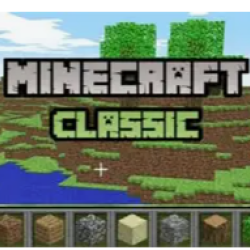
Minecraft Classic
Shell Shockers
Aquapark

Coreball
The Impossible Quiz

Short Ride
Stair Race 3D
Drive Mad
Air Hockey Championship Deluxe
Basket Random
Jetpack Joyride
Granny
Fireboy and Watergirl in the Forest Temple
Fireboy and Watergirl 2: The Light Temple
Fortzone (Battle Royale)
Fireboy and Watergirl 3: The Ice Temple
Survival Race
Block Blast

Cookie Clicker

How To Play This Game:
Desktop (Keyboard + Mouse) Move: W, A, S, D keys Look around: Move your mouse Jump: Space Bar Place / Remove blocks: Left click (place) / Right click (remove) – or B key to open block menu Toggle fog: F key Open chat: T key Save location: Enter key Load saved location: R key Mobile (Touchscreen) Touch controls may vary; the game is optimized for desktop play.
Short description of the game from our Editors:
Minecraft Classic is a free browser-based version of the very first Minecraft release from 2009, created by Mojang Studios to celebrate the game's 10th anniversary. Built with JavaScript and the Babylon.js library, it runs directly in your web browser with no downloads or installations required. This is Minecraft in its purest, most nostalgic form. You have 32 block types to build with—from dirt and stone to bricks, wood, and colorful wool. There are no enemies, health bars, crafting systems, or objectives. The focus is entirely on creativity: explore procedurally generated island worlds, construct towering castles, dig deep caverns, or build pixel art with friends. Minecraft Classic supports multiplayer for up to 8 friends on the same server. You can collaborate in real-time, chat using the T key, and share your creations with others. The world is fixed-size and surrounded by water, with an impenetrable lava layer below and clouds above. The only dynamic block is water, which flows endlessly into adjacent spaces. Perfect for players who want a simple, distraction-free building experience or a trip down memory lane to the game that started it all.
Comments( 0 )
Bitlife
Survival Race
Basket Random

Retro Bowl
Geometry Dash Scratch
Subway Surfers
Drive Mad

Five Nights at Epstein
Geometry Dash
Geometry Dash Lite
Gun Spin
Drift Boss

Slope
WHEELIE BIKE
Level Devil
Among Us
Granny
1v1 lol
Friday Night Funkin' (FNF)
Cuphead
Geometry Dash Vibes
Fortzone (Battle Royale)
Fortnite

Slope 3
Air Hockey Championship Deluxe

2 Minute Football

Rocket League